Description
Powered by the FIBO models family, Bria's Image Editing by Text API equips builders with the ability to modify existing images using natural language instructions or structured JSON instructions.
This endpoint now supports multi-reference editing — you can supply up to 4 input images in a single request, enabling use cases like combining a product with a reference scene, matching a reference object's color or texture, or maintaining character consistency across images.
FIBO Edit features native masking support for precise, localized editing on single-image requests. You can supply a binary mask to restrict changes to specific regions while preserving the rest of the image.
The masking logic operates as a generative replacement; the model generates entirely new content within the masked area based on your instruction, rather than modifying the existing pixels.
Core Technology: The FIBO Architecture
This endpoint utilizes the FIBO architecture, a unique two-step process ensuring precise and controllable edits:
- Translation: A VLM Bridge (powered by Gemini 2.5 Flash) converts your inputs into a detailed
structured_instruction(JSON). - Generation: The FIBO Edit model performs the final, deterministic edit on the input image(s), based on that JSON.
Advanced Control & Recreation
- To recreate a specific result: You must provide the exact source images, the mask (if used), the
structured_instructionreturned in the original response, and theseedused to create it. - For advanced, programmatic control, you can pass in your own
structured_instruction(e.g., from the/v2/structured_instruction/generateendpoint) to bypass the internal VLM bridge.
Multi-Reference Editing
You can now provide 1 to 4 reference images in a single edit request. All input images are considered together when generating the edit, guided by your instruction or structured_instruction — for example, placing a product from one image into the scene from another, or keeping a character or style consistent across multiple inputs.
| Single reference | Multi-reference (2–4 images) | |
|---|---|---|
Masking (mask) | Supported | Not supported |
| Aspect ratio control | Supported with restriction (see disclaimer in parameter below) | Fully supported |
Requests with more than 4 images will return an error. See new validation errors below.
Input Combination Rules
The request body must include images (1–4 items) and one of the following combinations:
- Edit by Text (single or multi-reference):
images(1–4) +instruction - Edit by JSON Instruction (single or multi-reference):
images(1–4) +structured_instruction - Masked Edit by Text (single reference only):
images(exactly 1) +mask+instruction - Masked Edit by JSON Instruction (single reference only):
images(exactly 1) +mask+structured_instruction
Examples
Use Case 1: Lighting Change
Instruction: "change to golden hour"
| Input Image | Output Image |
|---|---|
.png) |  |
The full structured JSON returned for this example is omitted here; the response carries it in full.
Use Case 2: Masked Text Addition
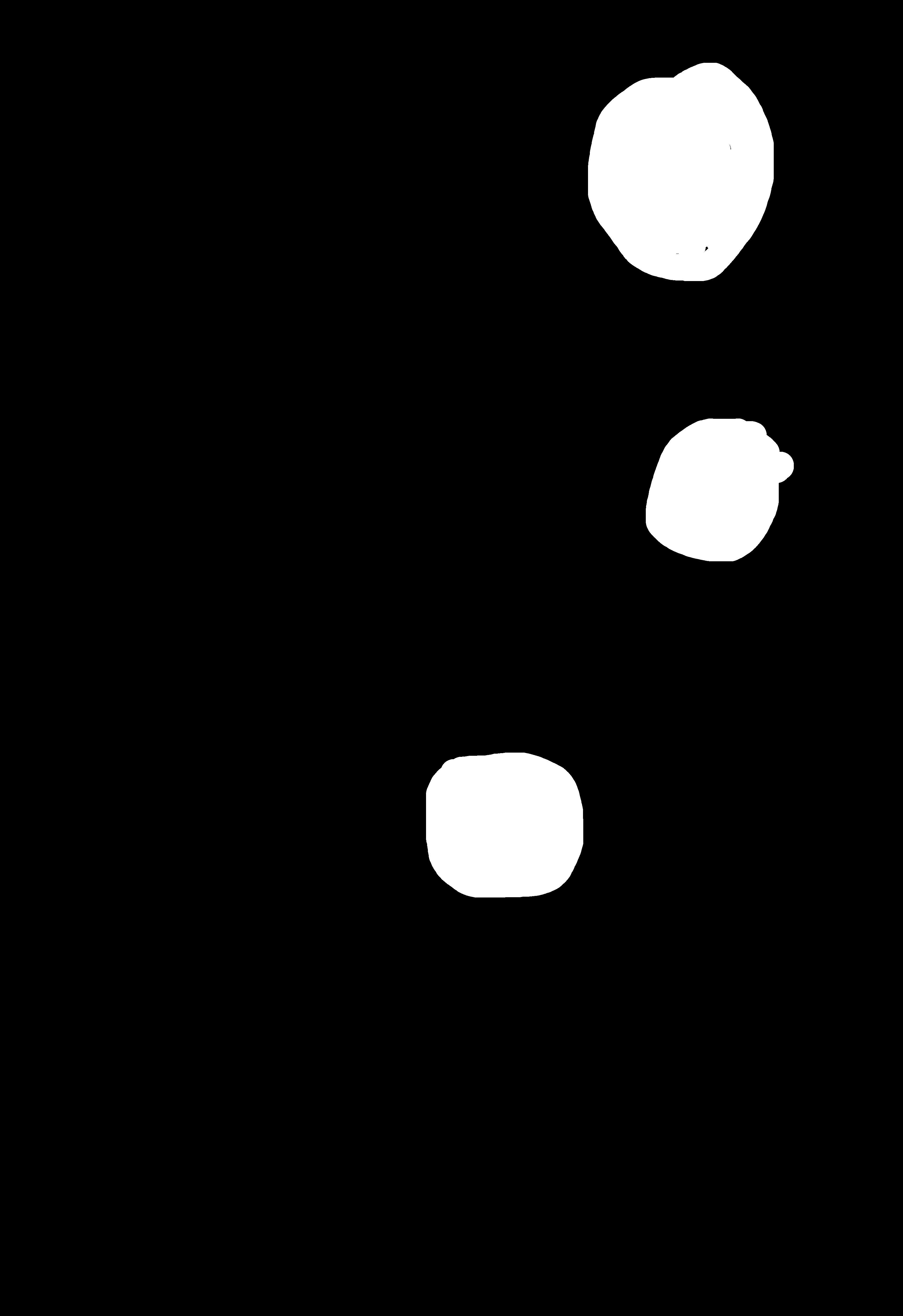
Instruction: "Write FIBO ROCKS on all balloons, use dark creative font, different font for each balloon"
| Input Image | Input Mask | Output Image |
|---|---|---|
 |  |  |
The full structured JSON returned for this example is omitted here; the response carries it in full.
Use Case 3: Multi-Reference Edit — Style Transfer
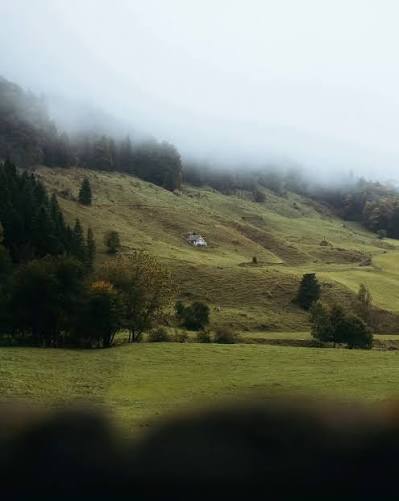
Instruction: "change the style of the beach image to the foggy mountain image style"
| Input Image 1 | Input Image 2 | Output Image |
|---|---|---|
 |  |  |
The source/reference image(s) to be edited. Publicly available URL or Base64-encoded. Accepted formats: JPEG, JPG, PNG, WEBP. Accepts 1 to 4 images. Requests with more than 4 images will return an error.
Text-based edit instruction (e.g., "make the sky blue", "add a cat"). This parameter serves as the text prompt.
Publicly available URL or Base64-encoded mask image (black and white). Black areas will be preserved, white areas will be edited. If omitted, the edit applies to the entire image. The input image and the input mask must be of the same size. Only supported when images contains exactly one item. If images contains more than one item, including a mask will return an error. This parameter is optional.
A string containing the structured edit instruction in JSON format. Use this instead of instruction for precise, programmatic control. (check generate structured instruction endpoint)
The aspect ratio of the output image. Supported for both single-image and multi-reference requests. This parameter is optional. Default: aspect ratio of the first image in images. Note: for single-reference requests, the model was not trained to change aspect ratio dramatically from the source image — results may degrade if the requested aspect ratio differs significantly from the input image's own aspect ratio. Multi-reference requests fully support all listed aspect ratios.
Seed for deterministic generation. Uses a random seed if omitted. This parameter is optional.
Specifies the response mode. This parameter is optional.
- When
false(default), the request is processed asynchronously: the API immediately returns a status URL to track progress. - When
true, the request is processed synchronously: the API hold the connection open until the proccess is complete and then returns the final image URL in the response.
Optional URL for receiving the result via webhook when the async job completes. See webhooks.
If true, returns a warning for potential IP content in the instruction. This parameter is optional.
If true, returns 422 on instruction moderation failure. This parameter is optional.
If true, returns 422 on images or mask moderation failure. This parameter is optional.
- Global Edit by Text Instruction
- Edit Masked Area
- Multi-Reference Edit — Style Transfer (2 images)
from bria_client import BriaSyncClient

client = BriaSyncClient()  # reads BRIA_API_TOKEN

response = client.run(
    endpoint="image/edit",
    payload={
        "instruction": "change color pallet of the image to: #014040, #02735E, #03A678, #F27405, #731702",
        "images": [
            "https://bria-datasets.s3.us-east-1.amazonaws.com/api_doc/fibo-edit/pexels-cottonbro-3401900.jpg",
        ],
    },
)
print(response.result.image_url){ "result": { "image_url": "string", "seed": 0, "structured_instruction": "string" }, "request_id": "string", "warning": "string" }