Description
Place your product in a new scene. Send one product photo and a prompt describing the scene, and the endpoint returns a new photo of the product in that scene.
The shot keeps the photo's framing and aspect ratio, at about one megapixel. There is no placement, aspect ratio or size to set.
By default the product is redrawn as part of the scene. When it must stay pixel-exact, for example to keep small label text, set preserve_product to true: the product from your photo is pasted back over the shot, and the shot comes back at your photo's resolution when the photo is larger, up to 25 megapixels. If the product moved in the shot, nothing is pasted back and the shot comes back as generated. product_preserved in the response says which happened.
Commercially safe: built on Bria's fully licensed models, cleared for enterprise use without copyright exposure.
Example: "Place this perfume bottle on a wet black slate ledge by a rain-streaked window at dusk, lit by a warm lamp from the left."
| Product | Result |
|---|---|
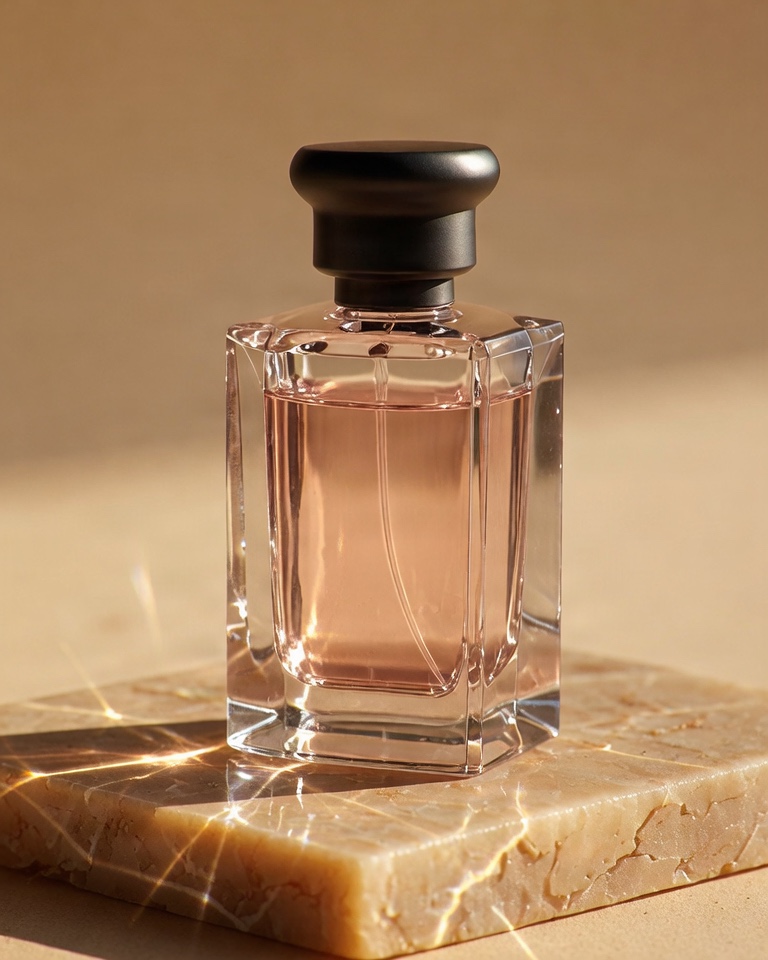 | 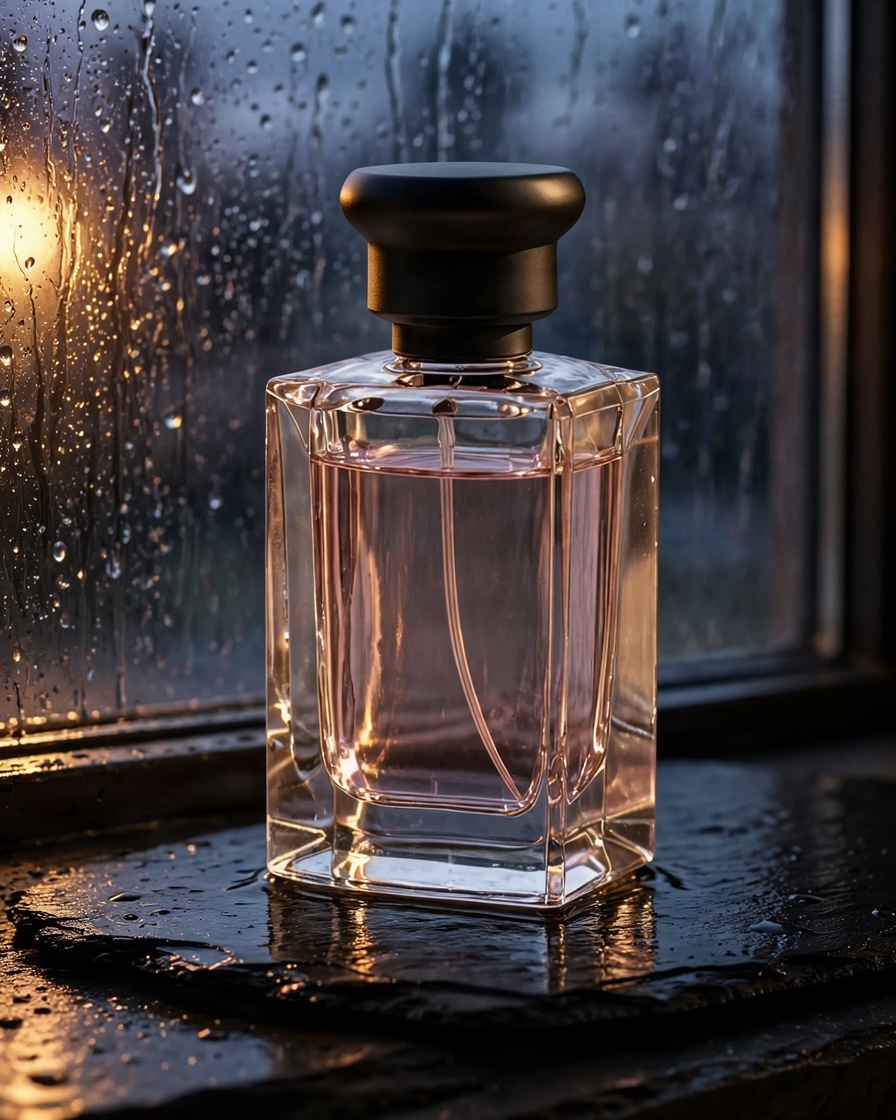 |
The product photo. Publicly available URL or Base64-encoded. Accepted formats: JPEG, JPG, PNG, WEBP.
The scene to place the product in, in free text: what it stands on, what surrounds it and how it is lit. Prompts in other languages are translated to English.
Paste the product from your photo back over the shot, so its pixels are your photo's, and return the shot at your photo's resolution when the photo is larger, up to 25 megapixels. This parameter is optional. Skipped when the product moved in the shot, which then comes back as generated. product_preserved in the response says which happened.
Seed for reproducible output. A random seed is used when omitted. This parameter is optional.
Specifies the response mode. This parameter is optional.
- When
false(default), the request is processed asynchronously: the API immediately returns a status URL to track progress. - When
true, the request is processed synchronously: the API holds the connection open until the process is complete and then returns the final image URL in the response.
Optional URL for receiving the result via webhook when the async job completes. See webhooks.
If true, returns 422 when the prompt fails content moderation. This parameter is optional.
If true, returns 422 when the product photo fails content moderation. This parameter is optional.
- A product in a new scene
- Keeping the product pixel-exact
- Quick sync test
from bria_client import BriaSyncClient

client = BriaSyncClient()  # reads BRIA_API_TOKEN

response = client.run(
    endpoint="image/edit/product/lifestyle_shot",
    payload={
        "image": "https://labs-assets.bria.ai/api-examples/product-lifestyle-shot/product.jpg",
        "prompt": "Place this perfume bottle on a wet black slate ledge by a rain-streaked window at dusk, lit by a warm lamp from the left.",
    },
)
print(response.result.image_url){ "result": { "image_url": "https://labs-assets.bria.ai/api-examples/product-lifestyle-shot/result.jpg", "seed": 5555, "product_preserved": false }, "request_id": "0717924d91bd47b5ba6a977288637681" }