Image Editing
/- Relight Image
Image Edit by Text
Generate Structured Instruction
Add Object by Text
Replace Object by Text
Erase Object by Text
Image Blending
Reseason Image
Rewrite
Sketch to Image
Restore Old Images
Colorize
Restyle Image
Eraser
Generative Fill
Remove Background
Replace Background
Erase Foreground
Blur Background
Expand Image
Enhance Image
Increase Resolution
Crop out foreground
Relight Image
Description
Modify the lighting setup (direction and atmosphere) of an image.
Example:
- Light Type: "spotlight on subject, keep background settings"
| Input Image | Output Image |
|---|---|
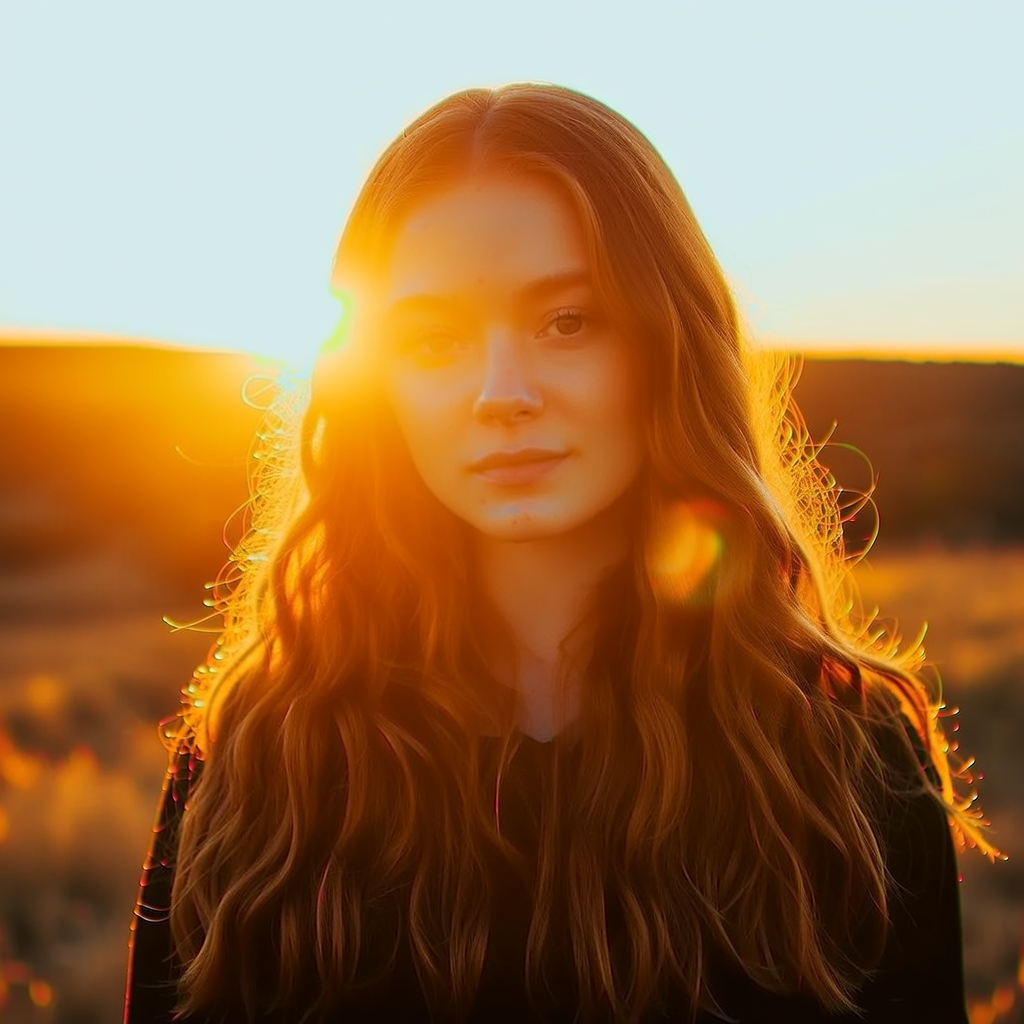 | .png) |
Security
api_token
The source image to be handled by the API.
Supported input types:
- Base64-encoded string - URL pointing to an image file that is publicly accessible and available at the time of processing.
Accepted formats: JPEG, JPG, PNG, WEBP.
Direction (e.g., "front", "side", "top-down").
Enum:"front""side""bottom""top-down"
Type (e.g., "sunset", "studio", "neon").
Enum:"midday""blue hour light""low-angle sunlight""sunrise light""spotlight on subject, keep background settings""overcast light""soft overcast daylight lighting""cloud-filtered lighting""fog-diffused lighting""moonlight lighting"
Optional URL for receiving the result via webhook when the async job completes. See webhooks.
POST
from bria_client import BriaSyncClient

client = BriaSyncClient()  # reads BRIA_API_TOKEN

job = client.submit(
    endpoint="image/edit/relight",
    payload={
        "image": "<image>",
        "light_type": "midday",
    },
)
result = client.poll(job, interval=2, timeout=120)
print(result.result.image_url)Response
{
  "result": {
    "image_url": "string",
    "seed": 0,
    "structured_instruction": "string"
  },
  "request_id": "string",
  "warning": "string"
}